
The problem: too much during the day, lost by evening
I work for several clients at the same time, next to running my own company. Every day brings meetings, emails, tickets, documents and loose ideas. By the end of the week I often no longer knew where I had read something, or what exactly we had decided.
Worse still: I kept asking AI assistants the same questions over and over. Every chat started from zero. My knowledge was scattered across five places and in my head, and that head was getting full.
What the human brain teaches us: collect by day, process by night
Our brain does not try to file everything away during the day. It collects impressions, and only processes them while we sleep. That night is when connections are made, what matters is strengthened, and noise fades into the background.
That was exactly what I was missing. I kept trying to organize everything neatly during the day, and it never worked. The solution was to separate the two jobs: during the day I only collect, and at night an AI does the organizing. Anthropic now uses the same metaphor for its own agents and calls it “dreaming”.
By day: just collect
My foundation is Obsidian: plain Markdown files on my own disk. Everything lives in a single vault, with a subfolder per client, for my own company, for personal matters and for my AI configuration.
During the day I don’t have to organize anything. Within each subfolder, everything lands in a fixed folder structure: meetings, notes, clippings, projects and a raw folder for new sources. Almost everything is Markdown. I pull in email through a Microsoft 365 connector, so what happens in my inbox ends up in the vault too.
The idea comes from Andrej Karpathy’s “LLM Wiki”: raw sources, a wiki maintained by the AI, and a schema that defines the rules.
At night: the Mac Studio dreams
Every evening a cron job starts on my Mac Studio. It has Claude carry out four steps, always in this order:
- Convert. An export routine converts Word, PDF, PowerPoint and Excel files to Markdown. A hash prevents unchanged files from being processed again.
- Ingest and connect. New sources become wiki pages about people, systems, decisions and concepts. Those pages refer to each other with Obsidian wikilinks (
[[like this]]), so a graph emerges. - Consolidate. This is the actual dream. Claude walks through the wiki and tidies up:
- duplicate pages about the same subject are merged;
- when facts contradict, the newest source wins, and the old fact is kept as history;
- relative dates such as “next week” become real dates;
- broken wikilinks are repaired and the index is updated.
- Forget. Finally, every page gets a temperature: hot, warm or cold. This deliberately happens after consolidation, so the cleaned-up version is what gets judged.
Consolidation only writes to the wiki layer, never to my source files. Before and after every step there is a Git commit, so everything can be reviewed and rolled back.
The very first night produced 624 indexed files.
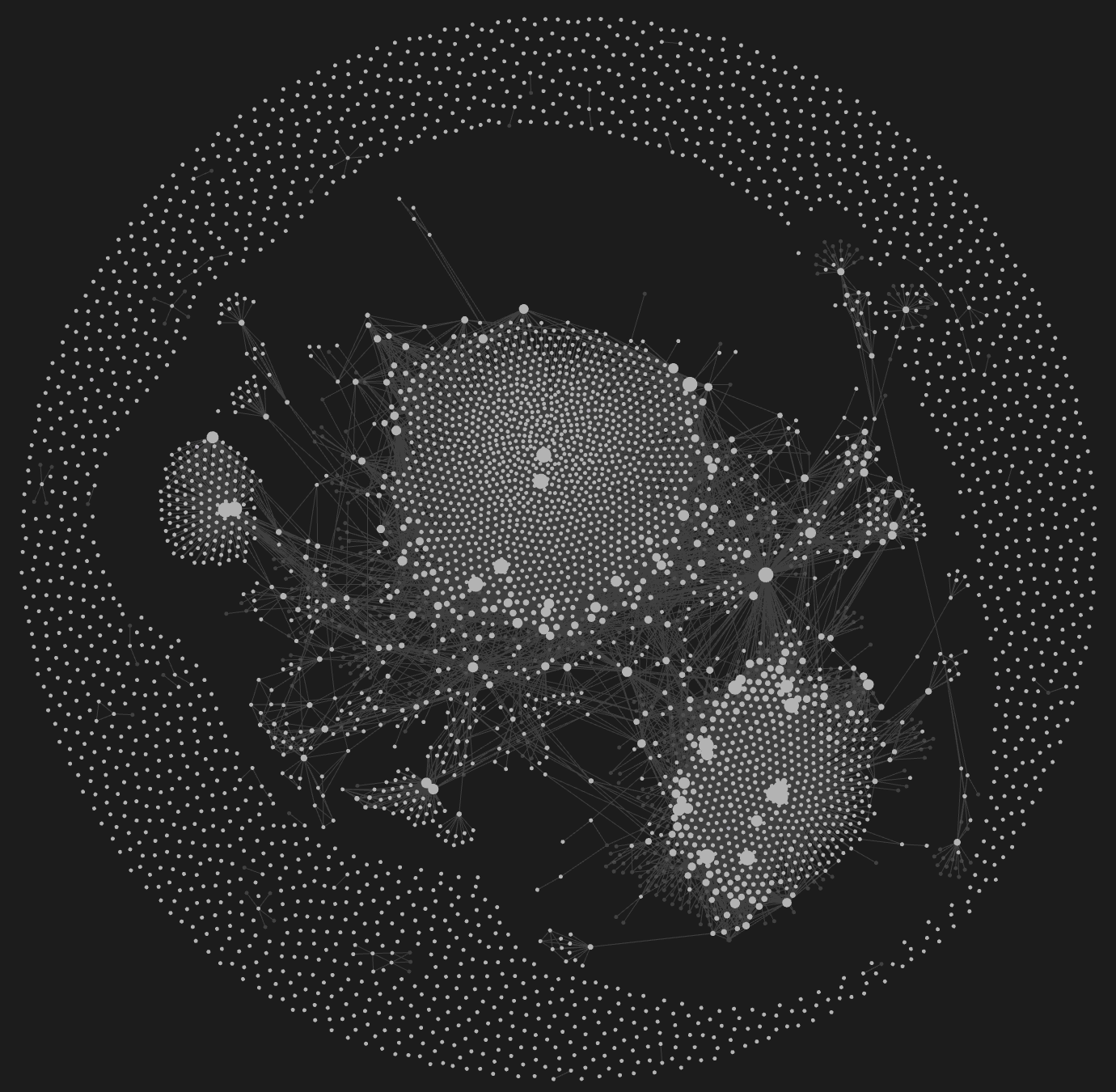
The graph view in Obsidian: every node is a wiki page, every line a wikilink.
Forgetting is part of it: hot, warm and cold
A lot has been written about Obsidian and second brains. It is almost always about collecting, linking and finding things again. You rarely read about forgetting. Yet that may be the most important function of a brain.
Our memory does not keep everything equally sharp. What we no longer recall fades. During sleep, connections we don’t use are even actively weakened. That is not a flaw but a filter: it leaves room for what matters now.
A wiki that only grows becomes an archive after a year. Every old project note weighs as much as yesterday’s decision. For an AI searching that wiki, that is noise. That is why I give every page a temperature.
| Temperature | Last mentioned in a source | What happens |
|---|---|---|
| Hot | less than 30 days ago | Active; Claude looks here first |
| Warm | 30 to 180 days ago | Stays in place, carries less weight |
| Cold | more than 180 days ago | Moves to a _cold folder, not deleted |
How it works
The temperature does not depend on when I edited a page, but on when a new source last referred to it. If a person shows up in today’s meeting notes, their page is hot again. That way the wiki follows what is actually going on, not what I happened to tidy up.
The decay step runs every night as the last step, after consolidation. The first run on my wiki gave 175 hot, 10 warm and 9 cold pages.
Steering it yourself
Not everything that is quiet is unimportant. A contract or an architecture principle may not be mentioned for months and still be relevant. That is why I can pin a page:
pin: hotalways keeps a page in front;pin: never-coldlets it become warm at most;pin: colddeliberately moves something to the background.
Coming back from the cold
Forgetting is not final here. A cold page stays searchable and stays in Git. The next thing I want to add: as soon as a new source links to a cold page, it comes back by itself. Just like an old memory that suddenly resurfaces.
What it delivers
The biggest difference shows in my conversations with Claude. It no longer starts from zero, but can consult the wiki. A question like “what do we know about this supplier?” now gets an answer with sources, including what is still missing.
The consolidation step is the part that most resembles dreaming. Without it, a wiki mostly grows; with it, the wiki also gets sharper. Anthropic does something similar with “Auto Dream” for Claude Code; I do it for my own notes.
What I learned
The tool doesn’t make the difference, the discipline does. A second brain usually fails after two weeks, because keeping it up is work. By moving the organizing to the night, all I have to do during the day is collect.
My advice if you want to start yourself:
- Keep your sources in plain text and on your own disk.
- Separate collecting from processing.
- Put everything in Git, so you can trust the AI and roll back.
- Dare to forget: not everything has to stay equally important.
My Mac Studio now dreams every night. And I sleep better for it too.
Want to build this yourself? Read the step-by-step setup guide.